84% of Developers Use AI. Only 29% Trust It. Here's Where I Stand.
84% of Developers Use AI. Only 29% Trust It. Here’s Where I Stand.
A mid-2026 snapshot of my trust relationship with AI agents
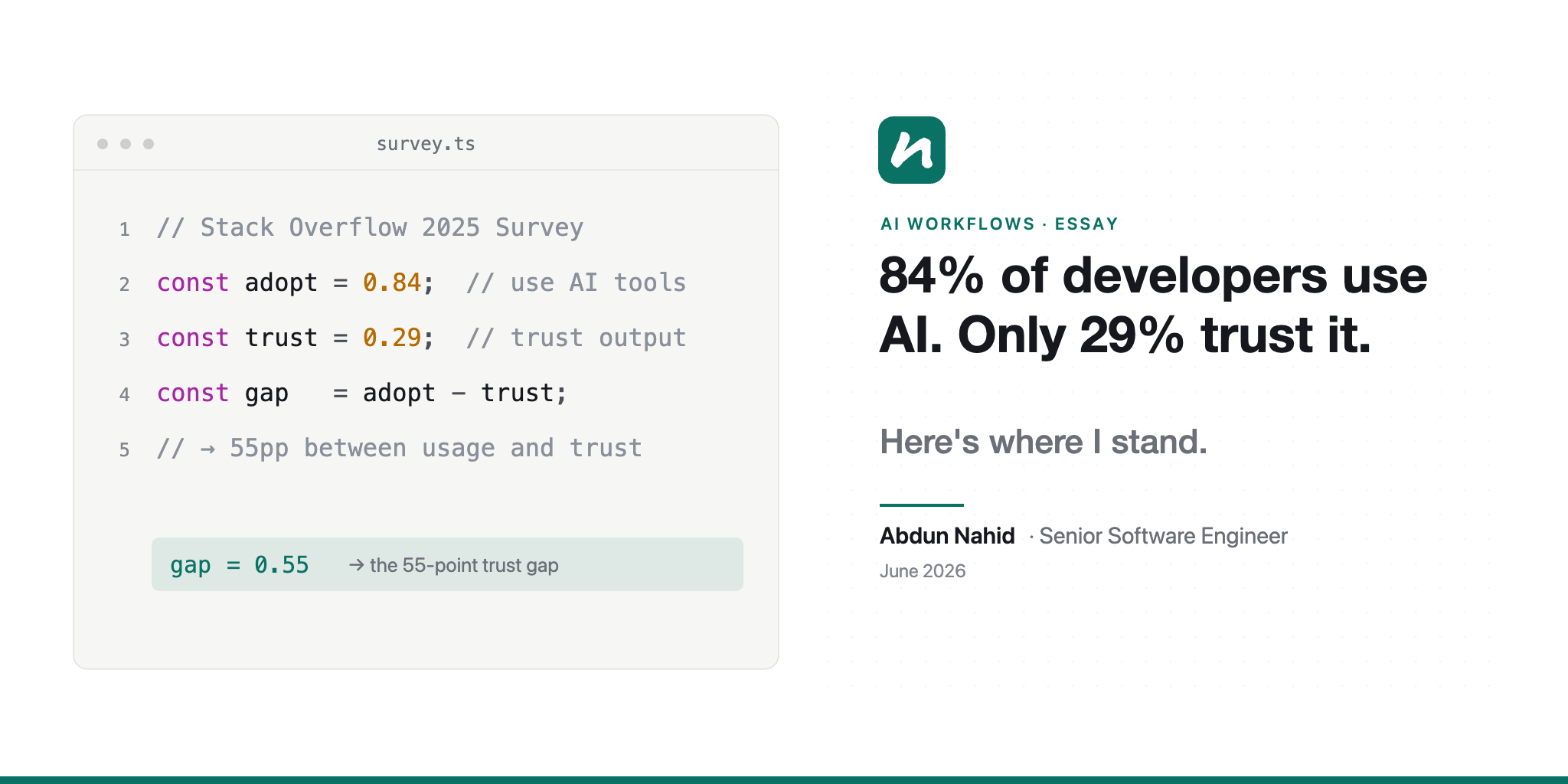
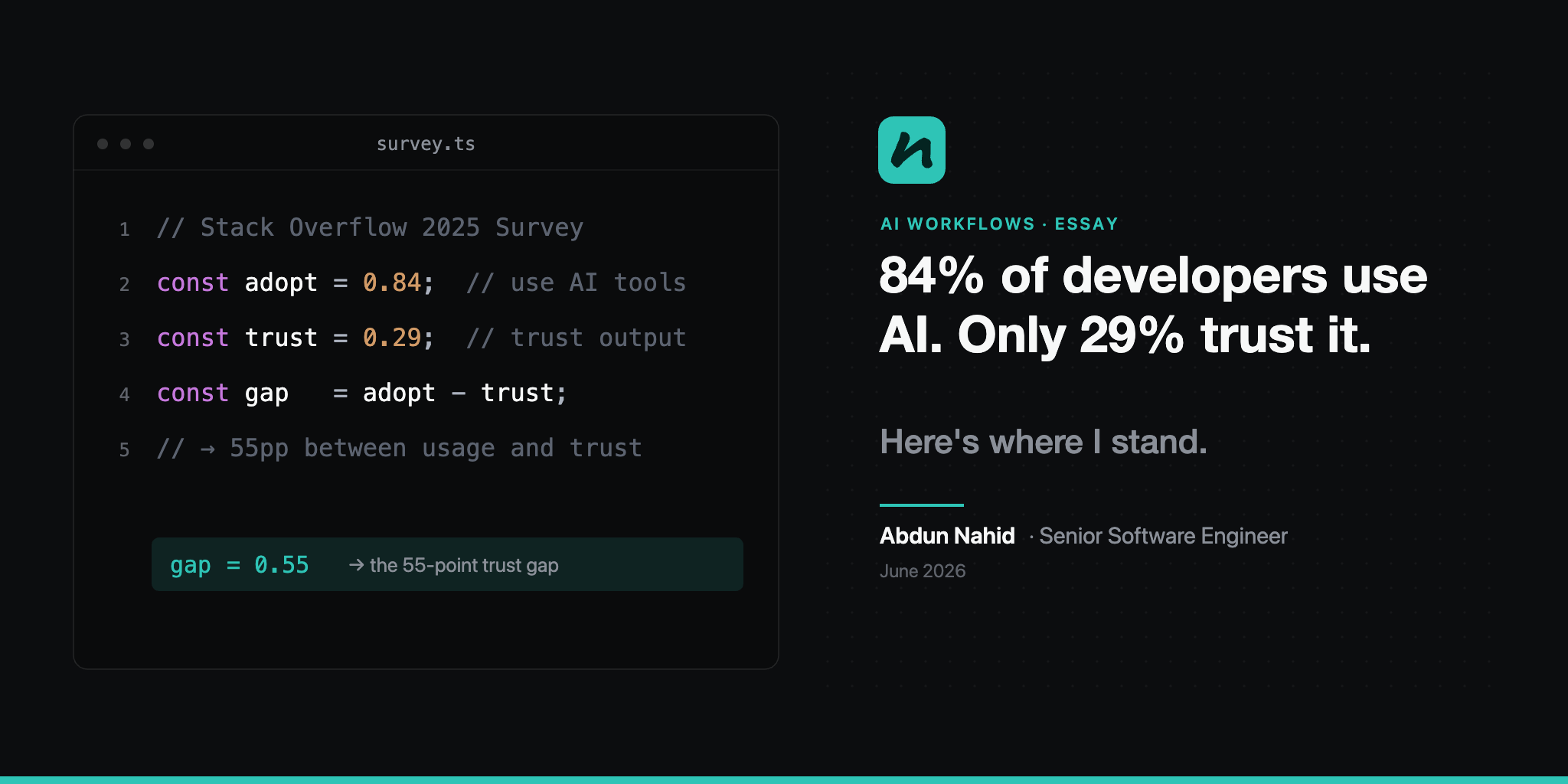
84% of developers use AI tools. Only 29% trust what they produce. That’s an 11-point drop from the year before - and usage is still climbing. [1][2]
That stat isn’t just a survey result to me. I’m in the 84%. I use AI every day - and I’m also in the gap between usage and trust.
Here’s what that looks like. On my homelab, a self-hosted agent runs 24/7 - around 50 automations weekly: researching, monitoring, surfacing ideas. At work, I code alongside Copilot, Claude Code, and the BMAD Method - an AI-driven development framework that runs agents across the full software lifecycle. Two worlds, two relationships. One I trust. The other I verify. Knowing which is which is the skill.
What the Data Actually Says
Adoption is up. Trust is down. The numbers are consistent across every major study.
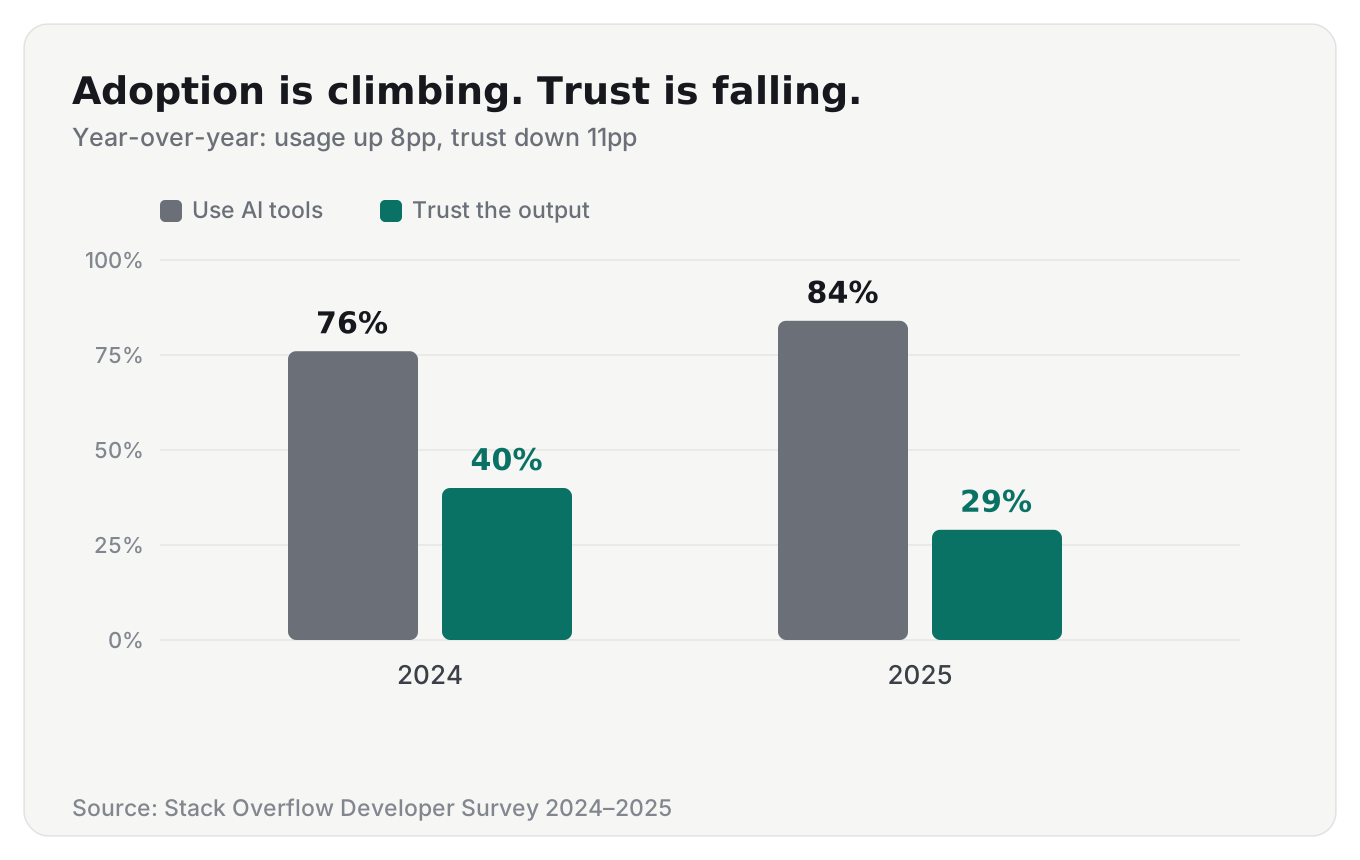
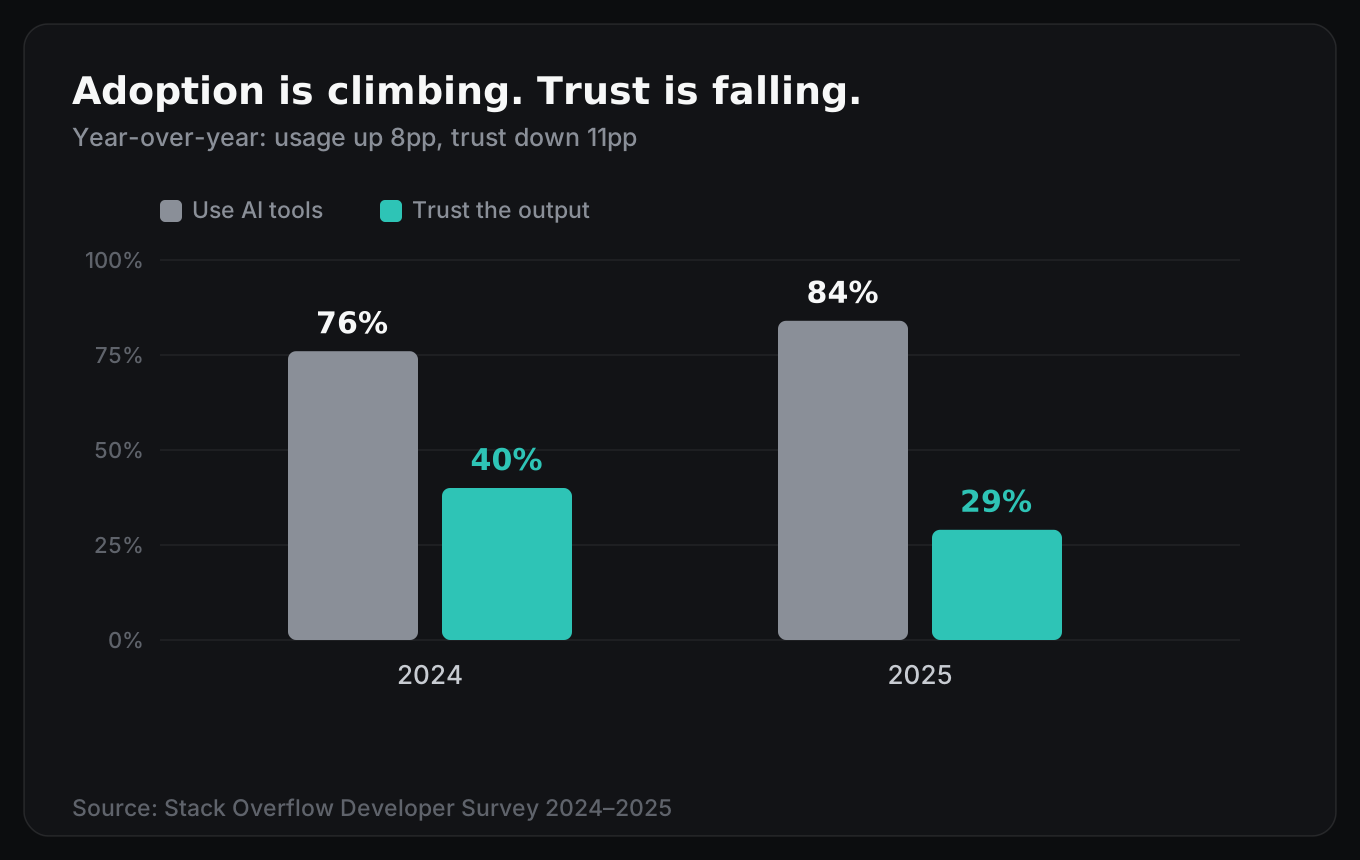
84% of developers now use or plan to use AI tools - up from 76% a year ago. But trust has fallen from 40% to 29%, an 11-point drop. Among developers with 10+ years of experience, nearly 21% say they “highly distrust” AI output - the highest distrust rate of any experience bracket. [1][2]
Sonar’s 2026 State of Code survey of 1,100+ developers draws an even sharper picture:
96% don’t fully trust AI-generated code. Only 48% always verify before committing. 38% find reviewing AI code harder than reviewing human-written code. [3][4]
The top frustration? 66% of developers cited solutions that are “almost right, but not quite.” Only 4% reported encountering no problems at all. [1]
This isn’t a failure of the technology. It’s a sign that developers are getting sophisticated enough to see where AI breaks. We’re past the novelty. We’re in the “okay, what do I actually trust this thing with” phase.
Why the Gap Exists: The Verification Bottleneck
Sonar’s researchers put it bluntly: “Rather than delivering a direct productivity boost, the surge in AI-generated code has created a verification bottleneck.” [3]
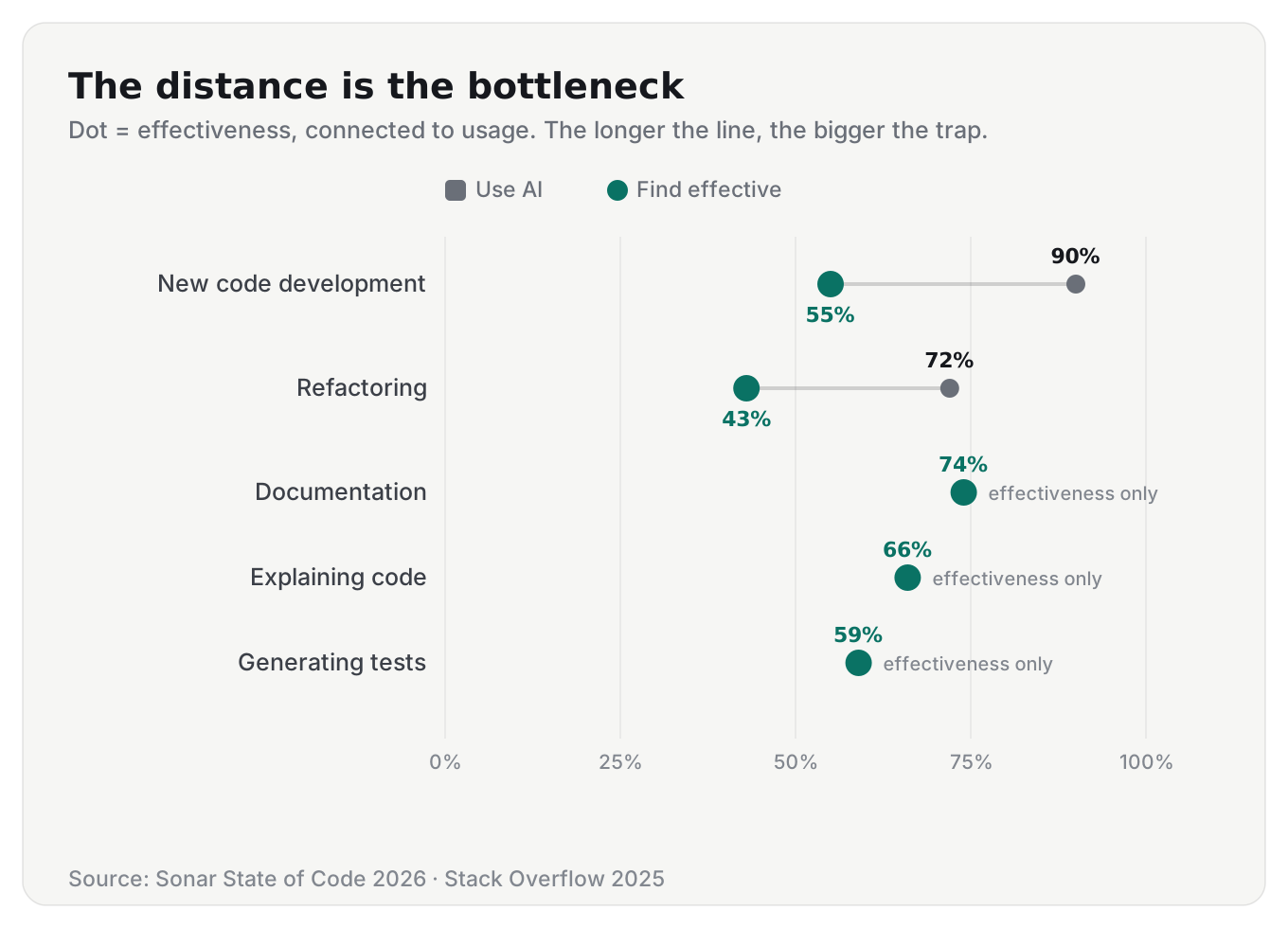
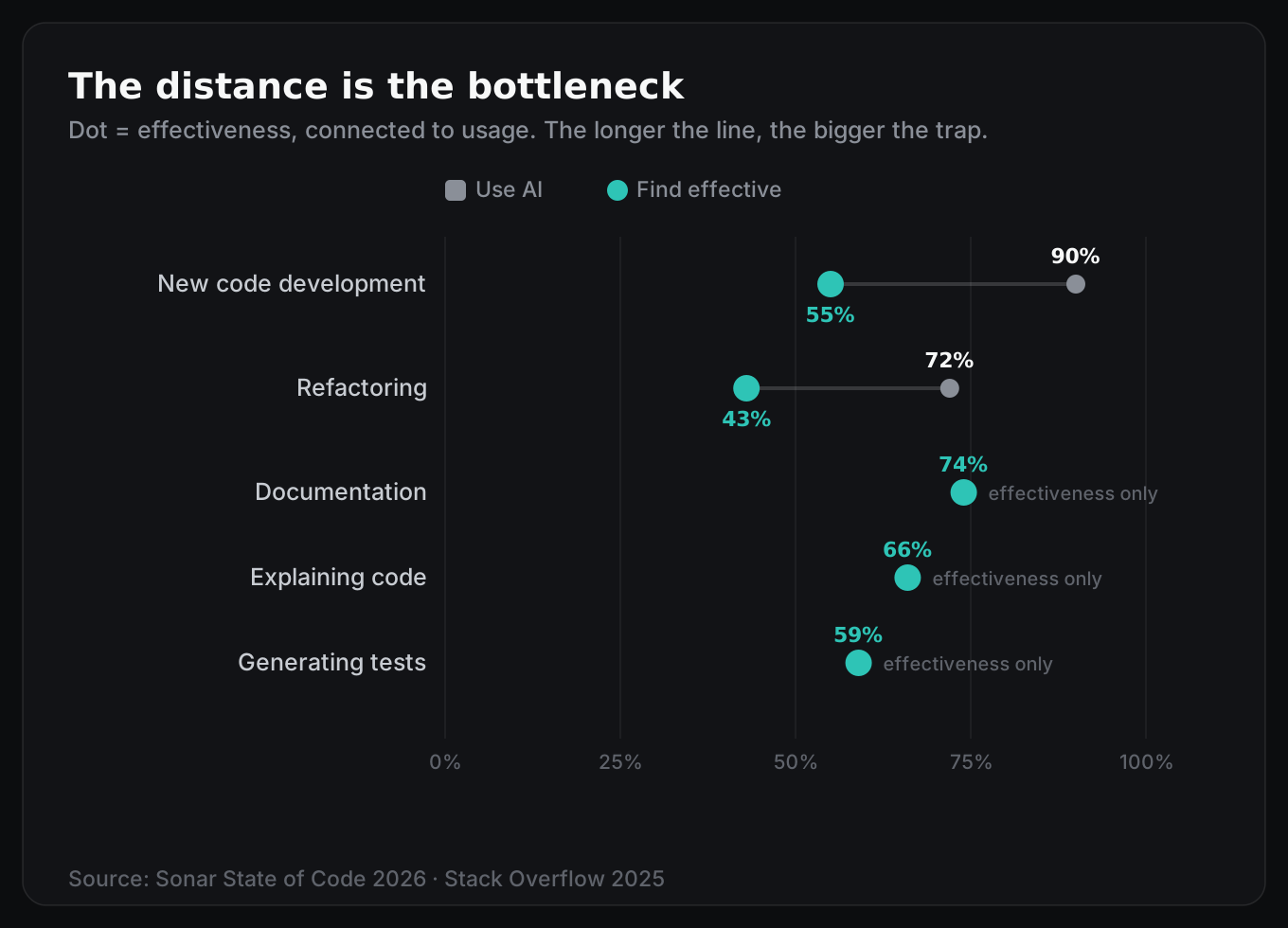
AI is strongest where context already exists - documentation (74% effective), explaining code (66%), generating tests (59%). It’s weakest at nuanced, complex work - refactoring (43% effective) and new code development (55% effective). Those just happen to be where it’s used most. [3]
The shift matters. AI didn’t eliminate toil. It moved it.
Instead of spending energy writing boilerplate, we now spend it catching plausible-looking mistakes. AI outputs compile. They pass lint. They look correct at a glance. And 61% of developers say those outputs frequently “look correct but aren’t reliable.” [4]
The METR research group ran a randomized controlled trial with experienced open-source developers - one of the most careful studies in this space. Their finding? Developers using AI took 19% longer to complete tasks. The same developers believed AI made them 20% faster - even after experiencing the slowdown. [5]
That gap between perceived and actual productivity is worth pausing on. I’ve caught myself in the same trap - accepting a suggestion that looks clean, moving on, and only later realizing it missed a constraint I’d have caught if I’d written it myself.
My Framework: What I Trust, What I Don’t
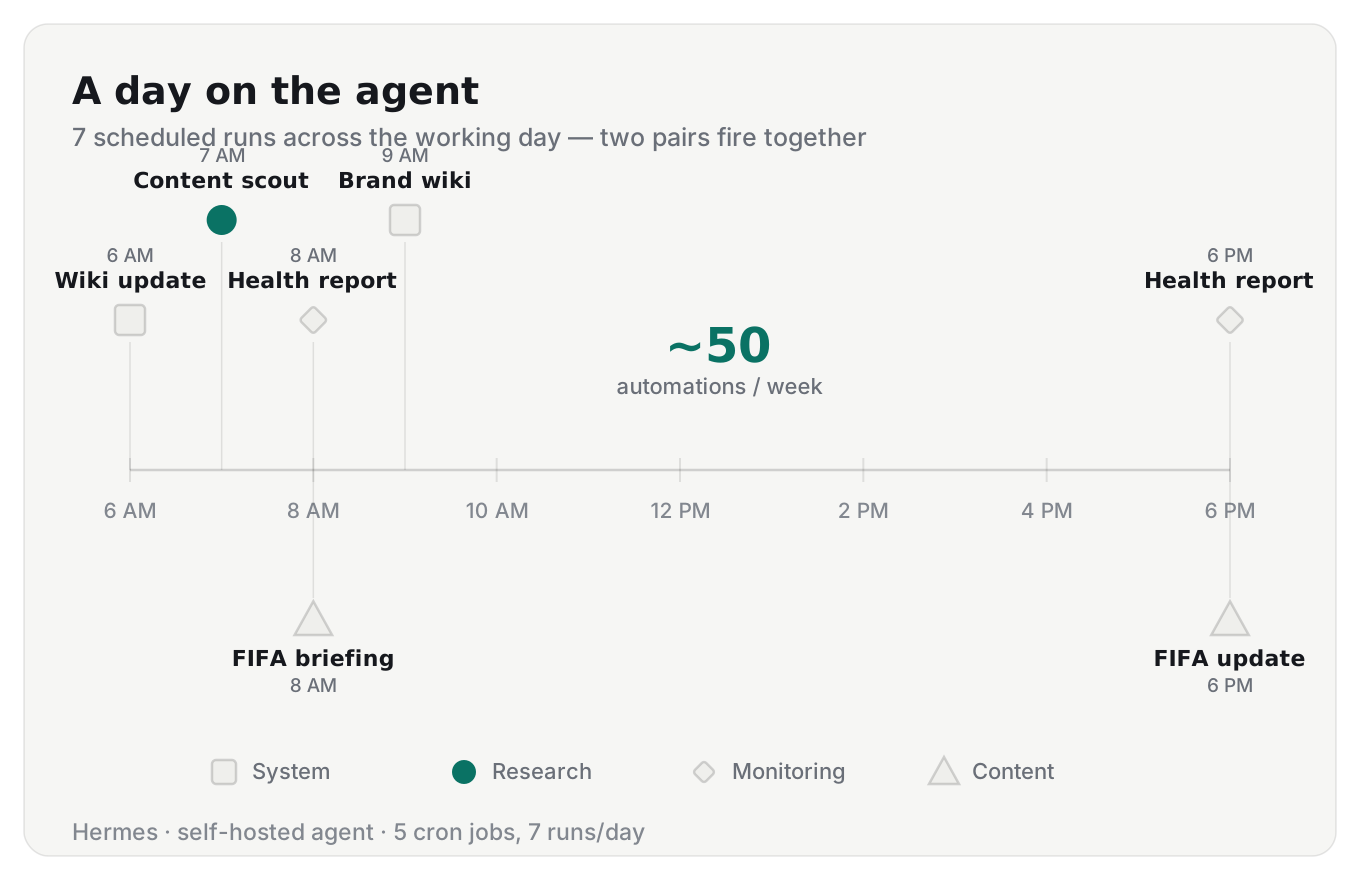
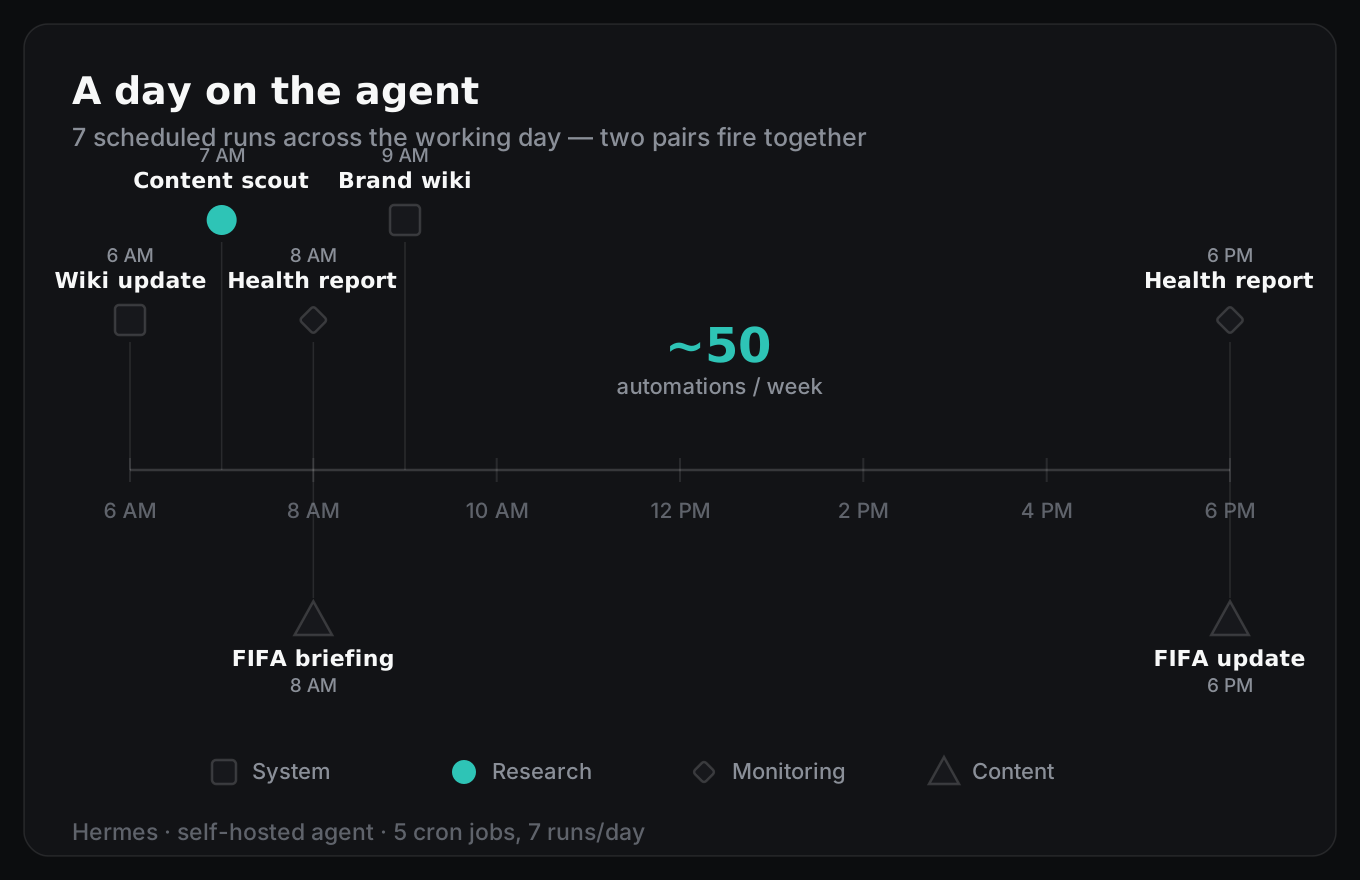
I run Hermes daily. It handles 5 cron jobs, 7 scheduled runs per day, roughly 49 autonomous operations per week. Here’s the current setup:
| Time | Job | What it does |
|---|---|---|
| 6:00 AM | Wiki update | Scans session transcripts, updates knowledge base |
| 7:00 AM | Content scout | Mines notes for blog ideas, scores them, writes proposals |
| 8:00 AM | Health report (×2) | Checks disk usage, container health, system stats |
| 8:00 AM | FIFA briefing (×2) | Latest World Cup match updates on my dashboard |
| 9:00 AM | Brand wiki | Keeps personal brand reference docs current |
| 6:00 PM | Health report (2nd) | Second daily system check |
| 6:00 PM | FIFA update (2nd) | Evening match news on the dashboard |
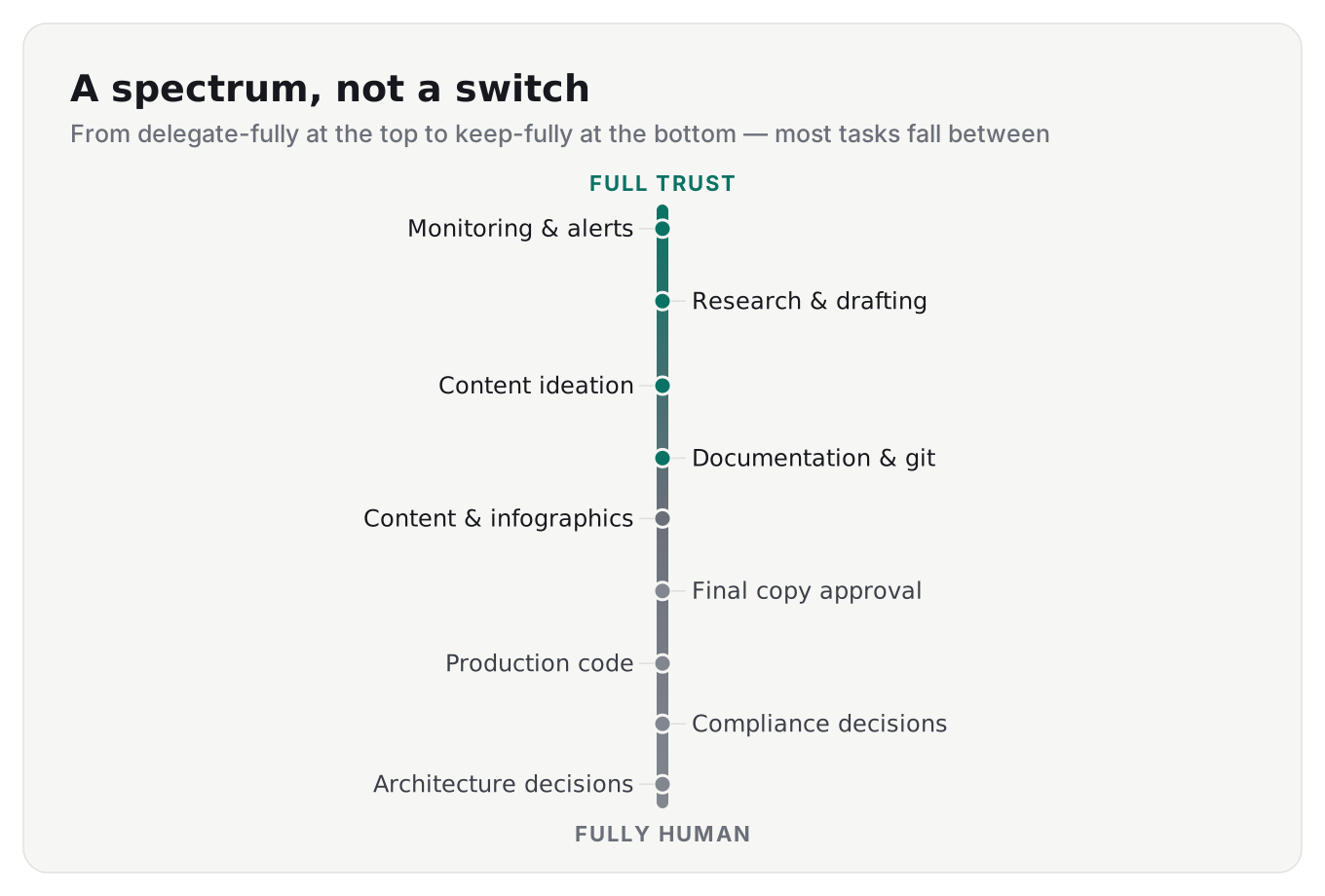
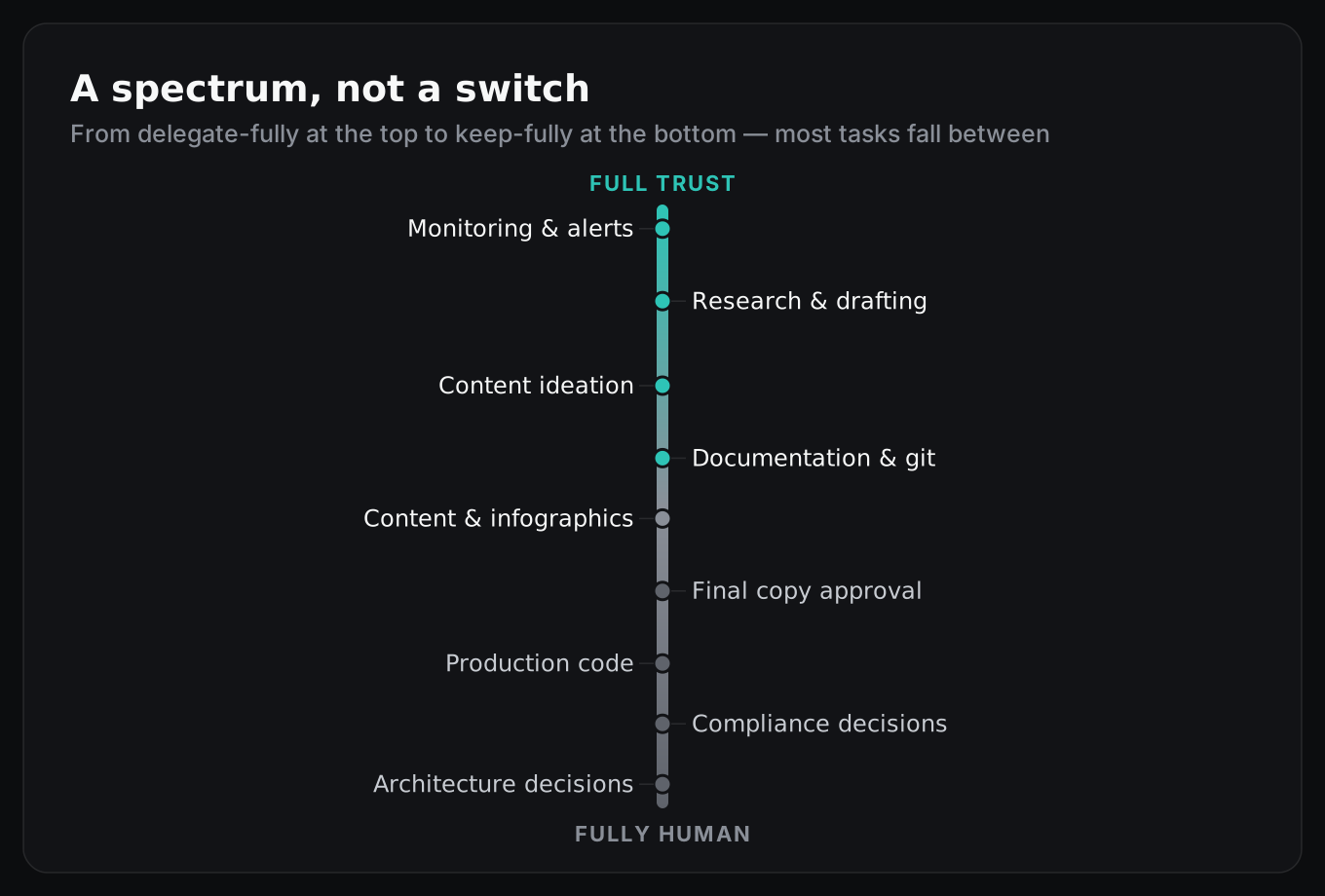
What I trust the agent with:
- Research and drafting. It mines my notes, finds sources, structures information. I ask it to research a topic - it pulls from my vault, finds external data, builds a dossier with every stat cited. I review, add my experience. Then it drafts.
- Monitoring and alerts. It checks disk usage, container health, service uptime twice daily. I don’t remember to check. The agent checks. I only hear about it when something’s wrong.
- Content ideation. It finds patterns in my notes I forgot I wrote, surfaces them as blog ideas, scores them against my brand pillars. I pick. It never publishes.
- Documentation and git hygiene. Docs, .gitignore audits, commit message consistency, repo housekeeping. The stuff nobody wants to do manually.
- Home automation. It filters noisy sensor data from Home Assistant and only surfaces actionable events.
What I still do myself:
- Architecture decisions. The agent can propose config changes. I approve and execute.
- Production code changes. Code review, merge, deploy - mine.
- Compliance-sensitive decisions. I work in Swiss insurance. Regulated.
- Final copy approval. Hermes drafts. I review and publish.
- Any Docker compose change or service restart. The agent has read-only Docker access. That’s intentional.
Some tasks sit exactly on the boundary. Take content and infographics. The agent generates them - drafts, visuals, layouts. But it works against a design system I built: token definitions, spacing rules, component constraints. I don’t review every pixel. I review whether the output matches the spec. The spec is mine. The execution is delegated.
The boundary isn’t about capability. Hermes can draft almost anything. It can propose config changes. The boundary is accountability. I own what ships. The agent accelerates the work leading up to a decision. The decision itself stays human.
The Same Framework, at Work
Everything above describes my homelab. But I follow the same pattern at my day job - building enterprise systems for Swiss insurance at SELISE. The stakes are higher, the processes more formal. The principle still holds.
We work spec-driven. My team uses the BMAD Method - an AI-driven development framework that orchestrates agents, workflows, and structured modules across the full software lifecycle. It handles the groundwork: brainstorming, research, technical docs, PRDs, architecture, epics, stories, PRFAQs.
We review everything at the planning stage. Thoroughly. The ground is solid before a single line of implementation code gets written. Then we break the work into sprints - stories prepared, implemented, reviewed. Every sprint gets a retro. AI produces, humans steer.
Code review is exhaustive but practical. We write tests to verify what AI outputs: unit tests, integration tests, API tests, UI tests, manual tests. SonarQube catches issues at the code level. Datadog monitors over time and surfaces problems that only emerge in aggregate.
Gates validate quality and security at every stage. When I’m in a hurry, I follow the 80/20 rule - review the 20% of changes that cover 80% of the risk. Delegate the rest to a peer reviewer.
The code still passes through multiple environments before it reaches production. Nothing ships blind.
Not All AI Productivity Is the Same
It’s not 10x. It’s not even 2x. Sometimes it’s 20x - the tool produces in seconds what would take me hours. Sometimes it’s a net loss - the tool costs you more time than it saves.
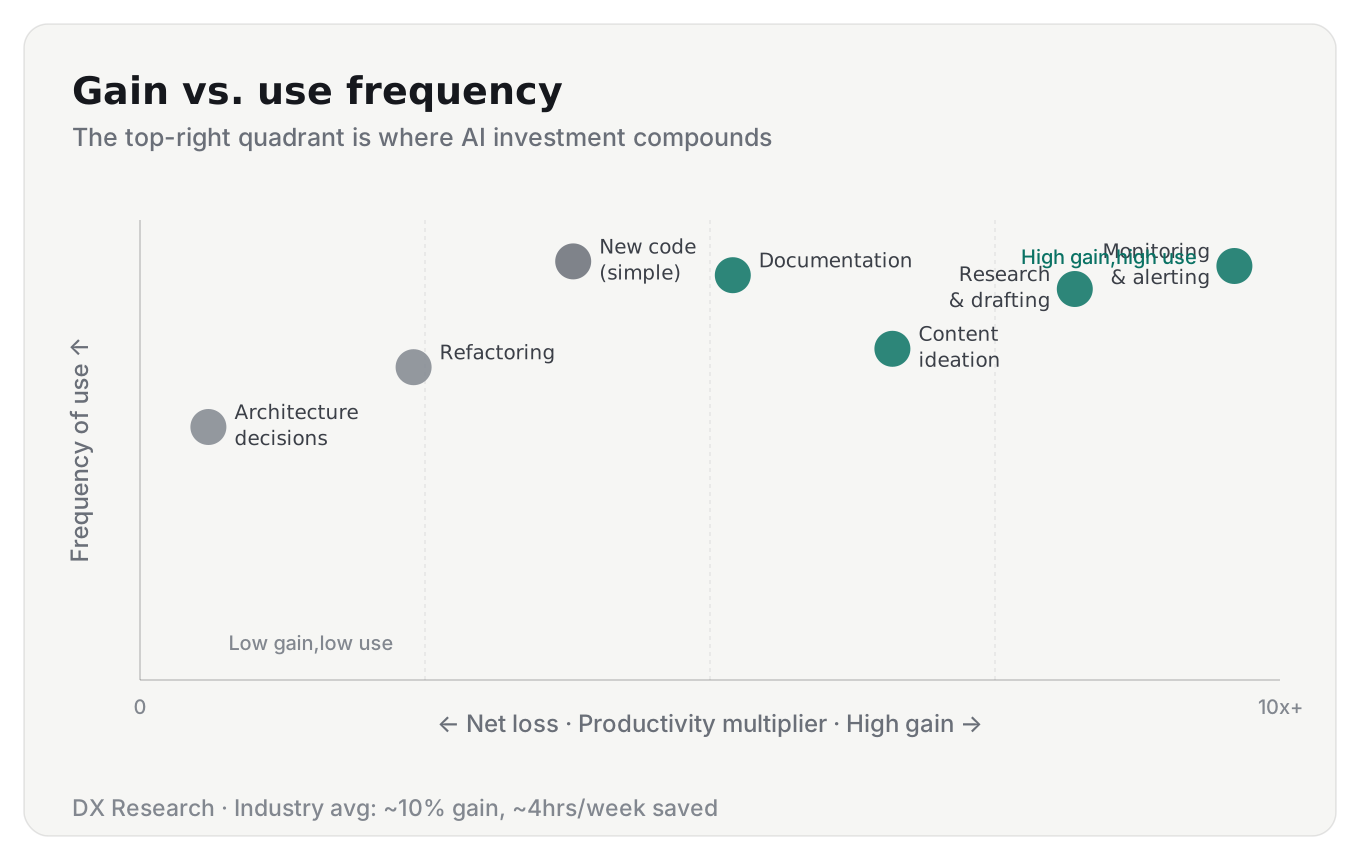
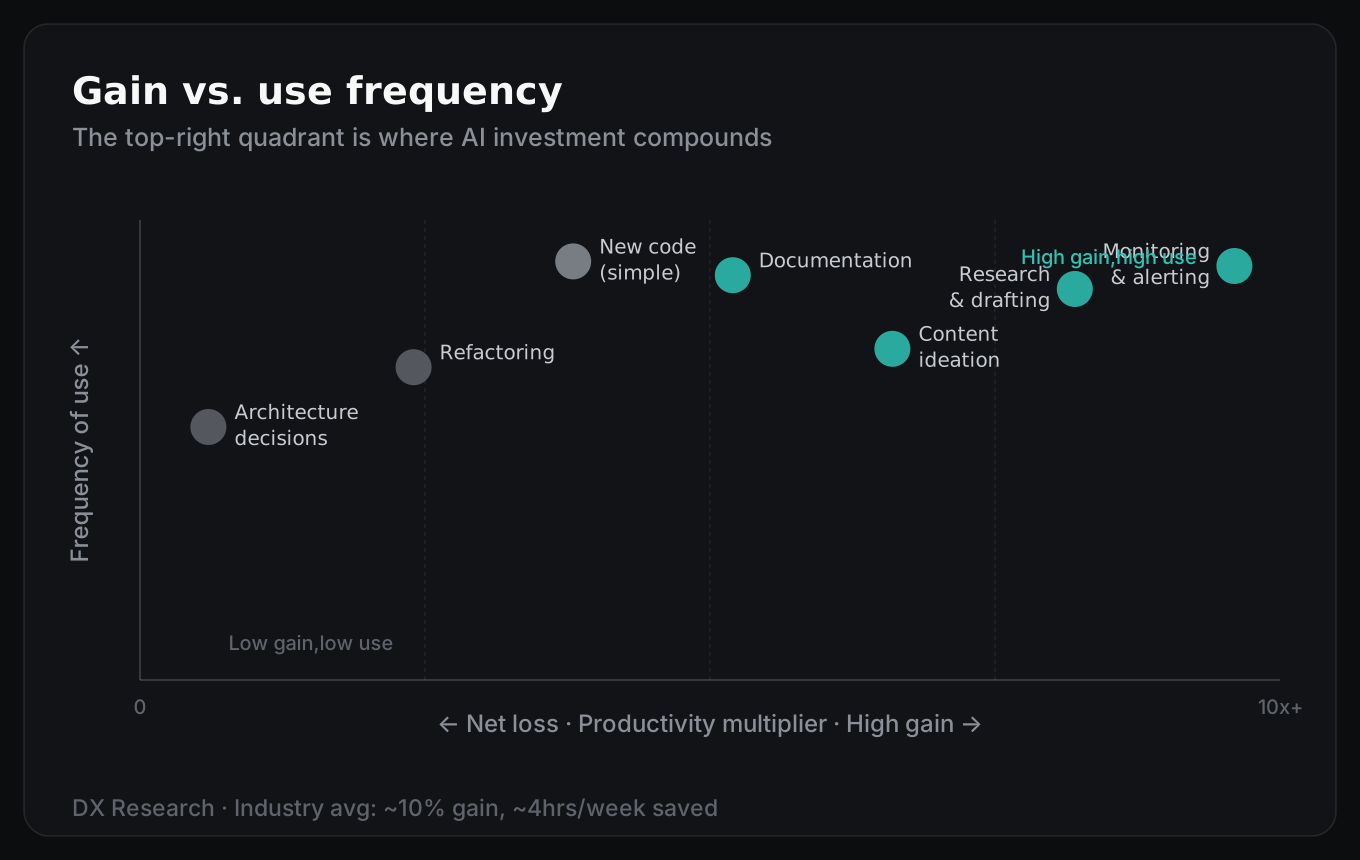
Research and drafting? Dramatic speedup - easily 10x on first-pass output. Monitoring and alerting? Nearly infinite - tasks you simply wouldn’t do manually at all.
But architecture decisions, compliance-sensitive code, anything requiring deep domain judgment? The gain is marginal. Often negative. The time you save writing is consumed - sometimes exceeded - by the time you spend verifying.
Understanding where AI is most useful, repeatable, and verifiable - and where it’s not - is the actual skill. DX Research’s analysis of 121,000 developers across 450+ companies backs this up: productivity gains have plateaued at roughly 10%, about 4 hours saved per week. [7] My own numbers are right there - 3 to 5 hours. Real hours, meaningful hours. Not transformative - but real.
The engineers I respect most aren’t the ones who delegate everything. One of them is my team lead, Ratan Parai, a principal SE at SELISE. They know exactly where the boundary is, without hesitating. That clarity is worth more than any tool.
How to Find Your Own Boundaries
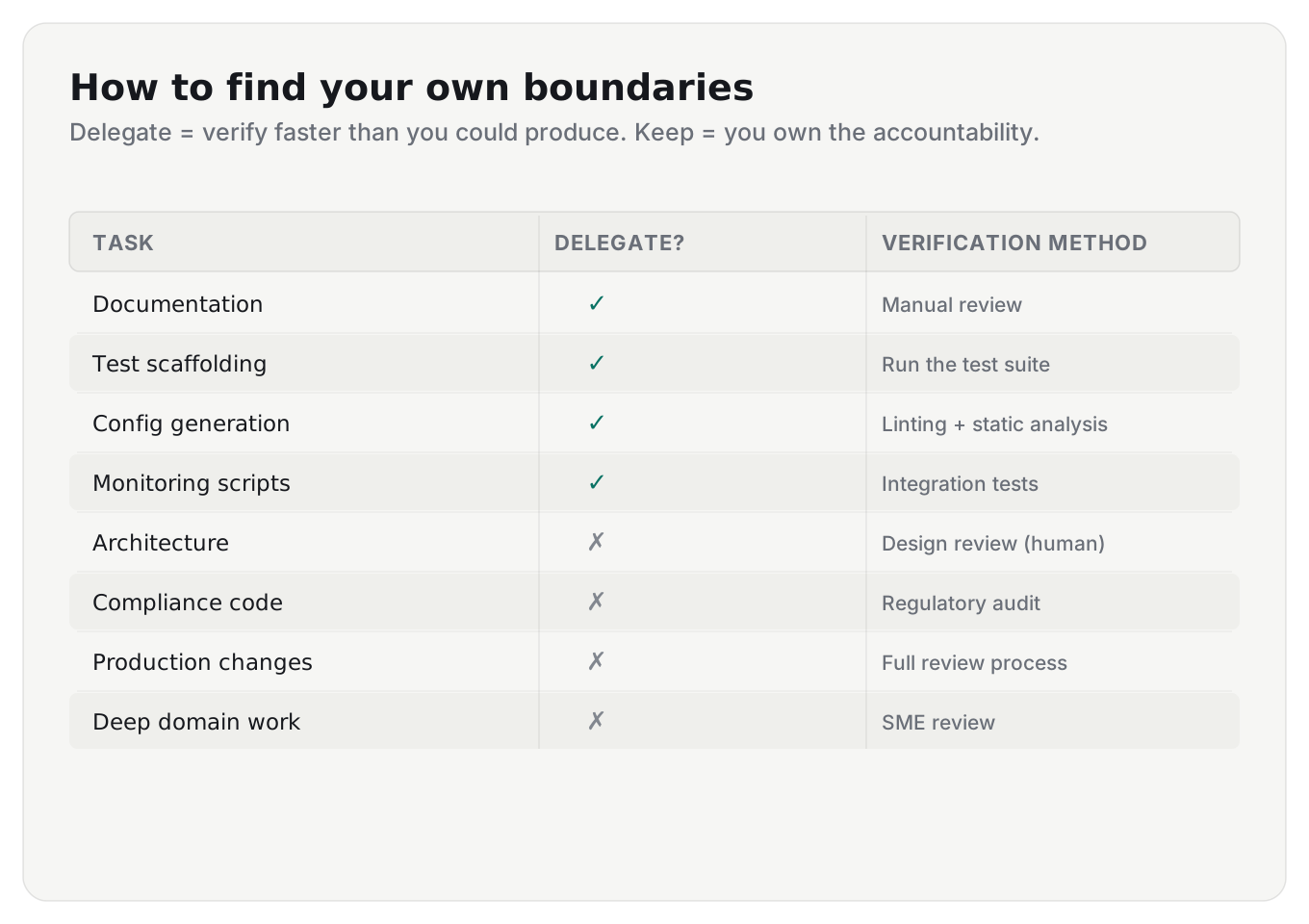
Start with one question. For any task you’re considering handing to AI, ask: “Can I verify the output faster than I could produce it myself?”
If yes, delegate. Documentation, test scaffolding, config file generation, monitoring scripts - the stuff where an error is either obvious or low-stakes.
If no, keep it. Architecture decisions, compliance-sensitive code, anything where a subtle mistake has real consequences. The time you save writing it will be lost reviewing it - with worse odds of catching the error.
And verify the output itself. That means different things for different kinds of work: unit tests for code, integration tests for APIs, linting and static analysis for configs, manual review for content and docs.
Sonar reports that teams using their automated quality checks are 44% less likely to have AI-caused outages. [3] Put a gate between the AI’s output and production - automated where possible, human where necessary.
Run the audit on yourself first. What do you actually trust, and what do you always check? If you’re not sure, you’re probably checking less than you think. Only 48% of developers always verify AI output before committing - which means 52% don’t. [3] The gap between “I should verify” and “I actually verify” is where the bugs ship.
The goal isn’t to avoid AI. It’s to use it without lying to yourself about what it’s doing. The 84% of us who use these tools every day are all in the same tension. Knowing where to draw the line is the skill that matters now.
Abdun Nahid is a senior software engineer at SELISE, building enterprise systems for the Swiss insurance market - full-stack with .NET, Angular, and Azure. He ships mybikes.app in his own time and runs a self-hosted AI agent across his homelab. Find him on X or LinkedIn.
I’d love to hear how you’re thinking about this. Where do you draw the line?
Research and initial draft by Hermes, my self-hosted AI agent. The experience, decisions, and framework are mine. AI accelerated the writing; I stand behind every word.
References
- Stack Overflow, “2025 Developer Survey - AI,” 2025. survey.stackoverflow.co/2025/ai
- Stack Overflow Blog, “Mind the gap: Closing the AI trust gap for developers,” Feb 2026. stackoverflow.blog
- Sonar, “State of Code Developer Survey: The current reality of AI coding,” Jan 2026. sonarsource.com
- Sonar, “The AI trust gap: Why code verification matters,” Jan 2026. sonarsource.com
- METR, “Measuring the Impact of Early-2025 AI on Experienced Open-Source Developer Productivity,” Jul 2025. metr.org
- METR, “Changing our Developer Productivity Experiment Design,” Feb 2026. metr.org
- DX Research (Laura Tacho), “93% of Developers Use AI. Why Is Productivity Only 10%?,” ShiftMag, Feb 2026. shiftmag.dev